
A moment of buffering?
When the player briefly buffers, recording can pause with it and resume as playback returns.

Simple recording. Built into your browser.
Start recording, switch to another tab, and come back when you’re ready to save.
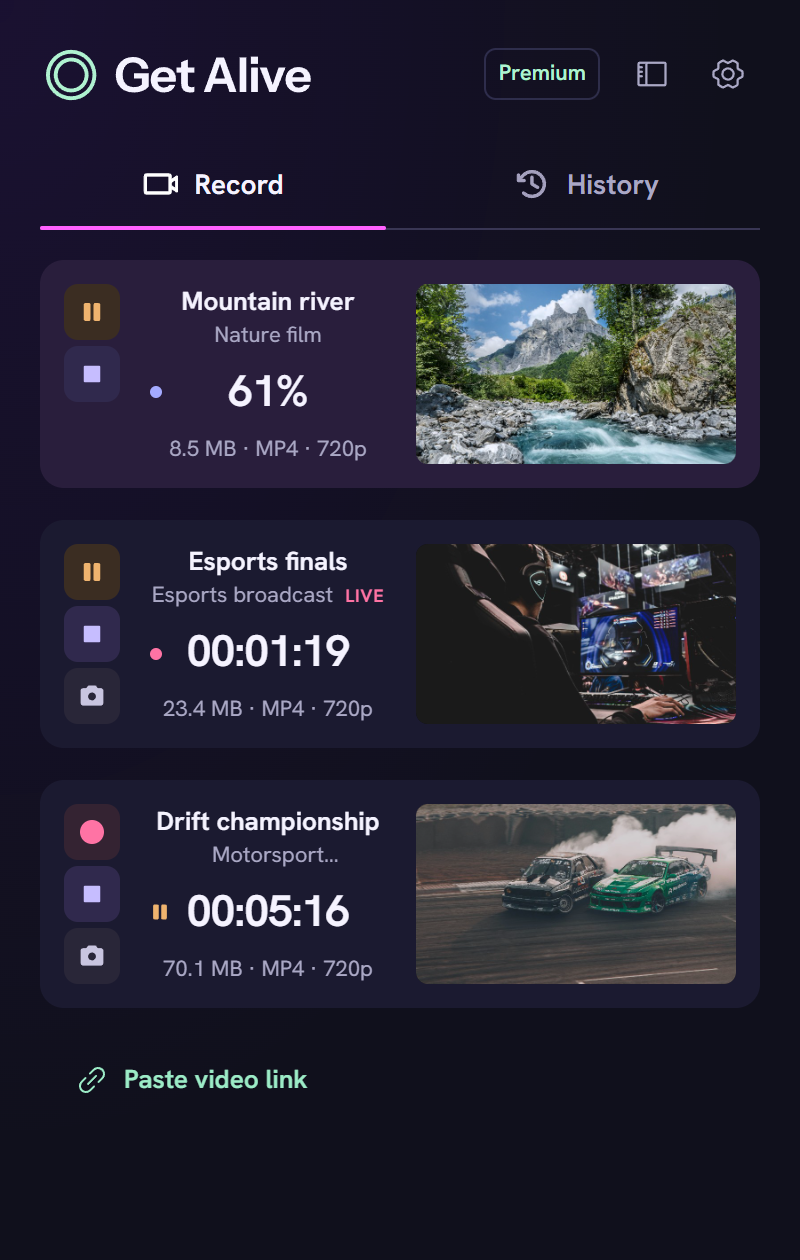
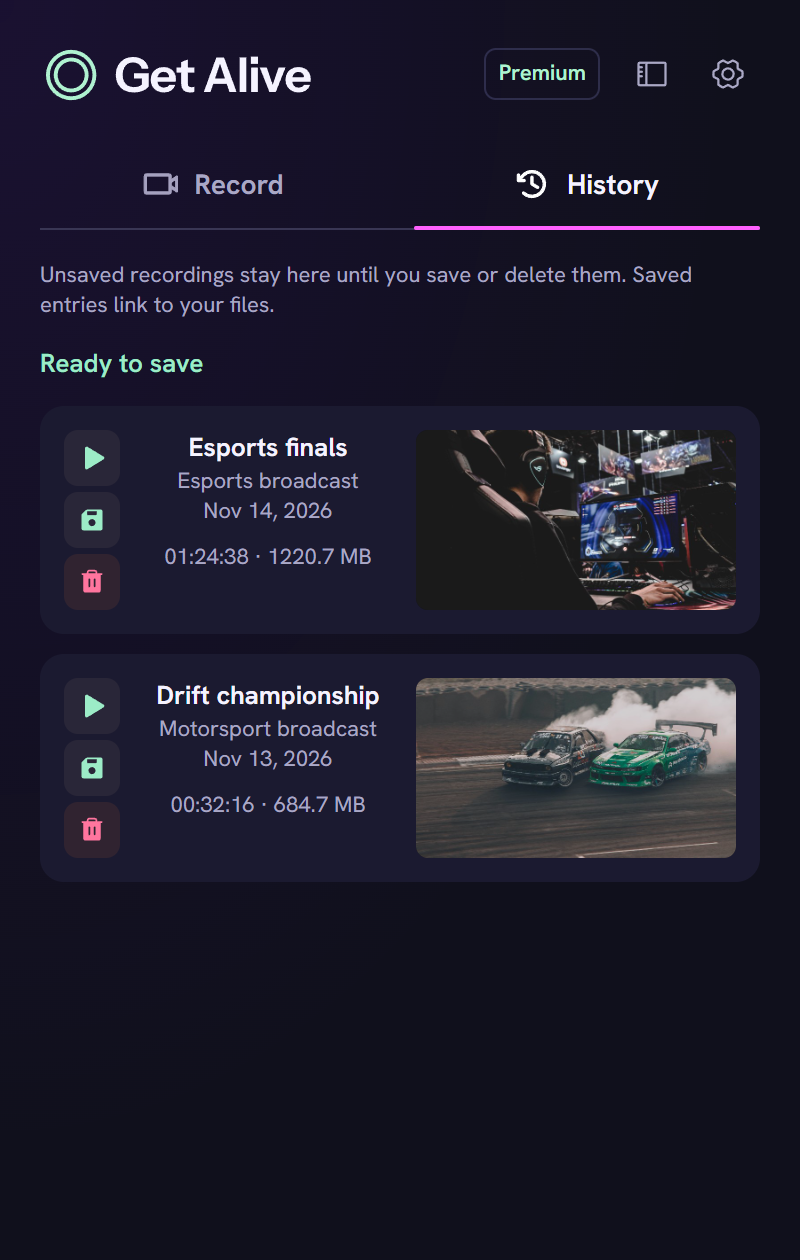
From stream to saved clip
Video with sound, video only, or just the audio. Choose the available quality, then press Record.
Close the popup or switch tabs. Keep the source open and playing; your recording can carry on while you do something else.
Find your clips in History, preview supported recordings, and save to your chosen folder. Other recordings can keep going.
When the stream is interrupted
Buffering or a page refresh can interrupt a stream. Get Alive can preserve the parts already recorded so you can continue the same clip.
GA protects parts already stored. It can’t recreate missing frames or record while your computer sleeps. A hard crash can still lose uncommitted data.
When the player briefly buffers, recording can pause with it and resume as playback returns.
Your live recording waits. Return to the same stream and choose Continue recording to add the next part to the same clip.
Parts already stored remain on your device. Stop and save what you have from History. Preparing one file doesn’t stop your other recordings.
More ways to use Get Alive
With Premium, record up to four streams at once and take screenshots during recording. Use the side panel to keep GA open beside your tabs.
Download supported videos directly, without installing extra software. Availability depends on the source and its video formats.
For supported HLS streams (.m3u8), Get Alive can combine video and audio into a single MP4 right in your browser. When the codecs are compatible, it does this without re-encoding.
Seven app languages, familiar controls, and a local library. Available MP4, WebM, and audio formats depend on the source and browser.
Local storage
GA starts with a 20 GiB storage limit. You can increase it or turn it off. Unsaved recordings are protected, and exporting a file requires free disk space.
Free & Premium
All interface languages are included in Free. Premium purchases are not available yet.
€0
Currently available through the private beta.
€29
One-time purchase · fixed price
Downloads depend on the source. DRM-protected videos are not supported.
Referral program
You can start inviting friends 14 days after buying Premium at the earliest. Open Premium in Get Alive, select Copy my link and share the same link with as many friends as you like.
The €5 discount applies to their first eligible Premium purchase through your link. They can pay by card via Stripe or with crypto via MoonPay.
Your €5 gross reward becomes payable once 30 days have passed since the purchase and the withdrawal period has ended. A pending withdrawal, refund or dispute holds the reward. A refunded purchase does not qualify.
If your friend pays by card, you receive your reward in euros. If they pay with crypto, you receive the equivalent in USDC on Solana.
Contact support
Report an issue or ask a question. Please leave out recordings, private stream links, passwords, and tokens.
Use the form to contact Get Alive directly.